
You can now automate tasks that use data from several spreadsheets, not just one, such as building a report. Connect Claude, ChatGPT, or another AI assistant to Autosheet MCP to bring the sheets you need into one spreadsheet. Autosheet's agent can then work with the gathered data to do the task.
Also new in September:
- Save up to 10 Agent prompts and reuse them in any spreadsheet or workbook, so a prompt that works well is always at hand.
- New models in the Agent: GPT-6 Astra, Claude Fable 5.1, Claude Opus 5.5, and more, ready to use with nothing to set up. With your own DeepSeek API key, DeepSeek-V4 also joins the bulk tools, which process many rows with AI at once.
- For admins, one Models page in the Autosheet dashboard to manage both Agent and bulk models and choose the defaults for your space, where you manage billing, usage, and API keys.
For everything else that changed in September, including fixes, see the release notes.
🔌 Work across several spreadsheets with Autosheet MCP 
Autosheet MCP can now copy a sheet from one spreadsheet into another, or duplicate it within the same spreadsheet. Your AI assistant can use it to gather the sheets a task needs into one spreadsheet before starting the agent there.
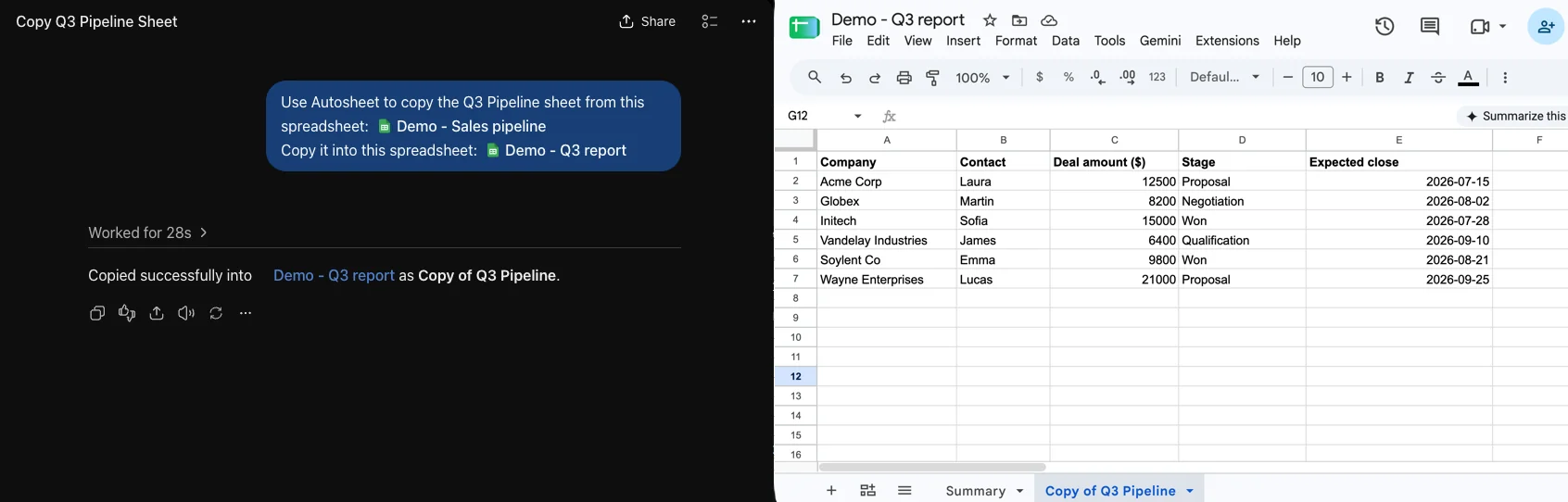
The copy keeps the sheet's values, formulas, formatting, notes, and charts, and it doesn't use credits. To get started, see our Autosheet MCP guide.
🔖 Save and reuse your Agent prompts 
You can now save up to 10 Agent prompts in your personal prompt library and reuse them in any spreadsheet or workbook. Click the bookmark icon under a message you've sent to save it, and the bookmark icon in the chat field to reuse it. Your saved prompts are visible only to you.
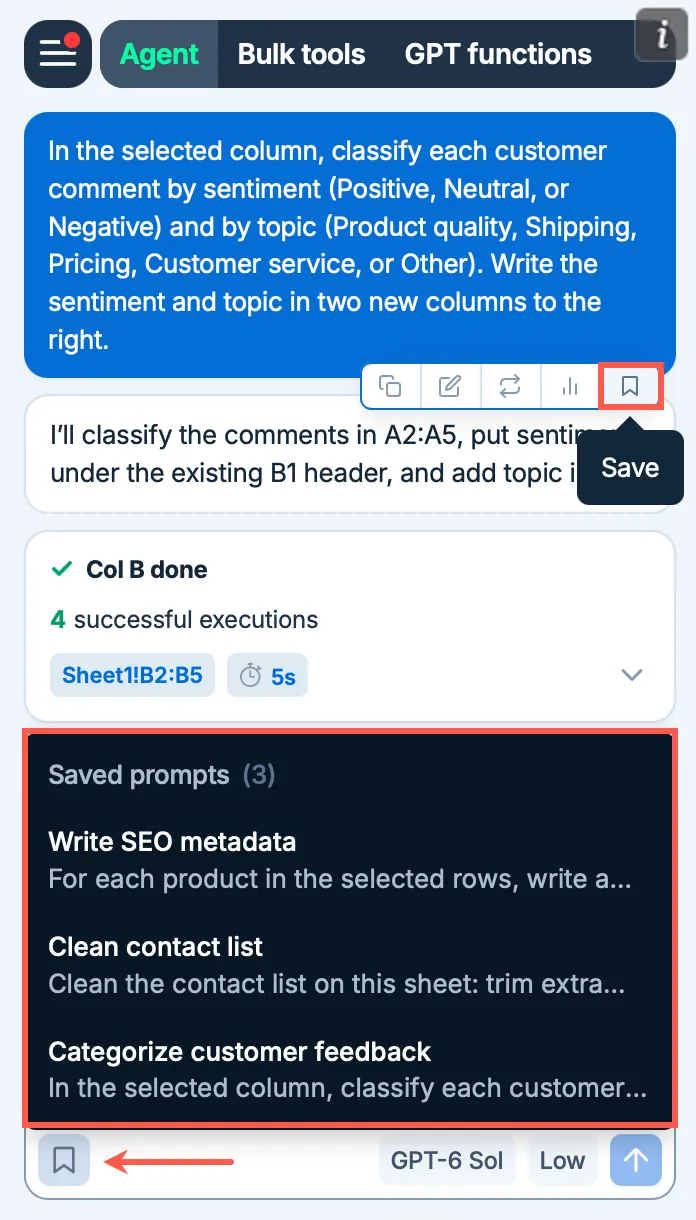
Space admins can turn the prompt library off for their space in the Autosheet dashboard.
🤖 New models 
September brings new models across Autosheet.
OpenAI GPT-6 Astra, Sol, and Luna in the Agent
GPT-6 Astra performs especially well on web research and professional work. GPT-6 Sol and Luna bring its advances to faster, more affordable models.
Anthropic Claude Fable 5.1 and Opus 5.5 in the Agent
Claude Fable 5.1 excels at knowledge work and long-running tasks. Claude Opus 5.5 performs at the level of Fable 5.1 on most work.
DeepSeek-V4-Flash and DeepSeek-V4-Pro in the bulk tools
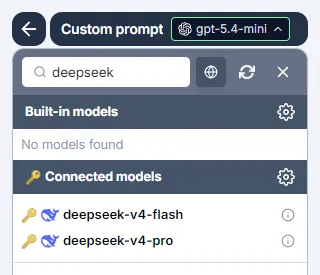
DeepSeek-V4-Flash and DeepSeek-V4-Pro are now available in the bulk tools. DeepSeek-V4-Flash is fast and economical, and DeepSeek-V4-Pro handles more demanding reasoning. Both require your own DeepSeek API key, now also supported in the Excel and Word add-ons.
🎛️ More control over your models in the dashboard
Space admins now manage Agent models and bulk models on a single Models page in the Autosheet dashboard, instead of two separate pages. From there, you can also set the default reasoning effort (how much the model thinks before it responds) that the add-ons use with the default models whenever members haven't chosen one themselves.
📖 To go further
Check out our resources to get the most out of Autosheet:
- 📚 Step-by-step guides for Sheets, Excel, Word, and Docs
- 📖 Complete documentation – Find everything you need to know about Autosheet!
- 📝 Our blog articles for e-commerce, SEO, and market research
- 📺 Our YouTube channel with video tutorials
- 📄 Release notes – Or read them directly in the add-ons!
- 🔧 Contact support – Need help? Reach out to our friendly team.