

How to connect ChatGPT to Excel
The Autosheet add-in lets you run an AI agent powered by ChatGPT right inside Microsoft Excel. Ask it in plain language to write and fix formulas, build charts and pivot tables, format and reorganize data, generate tables, or analyze and summarize a worksheet. It also works row by row across thousands of cells for bulk tasks like translation, categorization, and enrichment. Here's how to connect it:
Step 1: Install the GPT for Excel – Autosheet add-in
Install from Microsoft Marketplace: GPT for Excel – Autosheet, then choose Open in Excel.
Step 2: Open Autosheet
Click GPT for Excel – Autosheet in the ribbon's Home tab. The add-in opens in a task pane with three tabs: Agent, Bulk tools, and GPT functions.
Step 3: Pick a ChatGPT model in the Agent
Select the Agent tab, then open the model switcher below the prompt box and choose a ChatGPT model. Model selection for the agent lives inside the Agent tab, not in a switcher at the top of the sidebar, and the list you see depends on what is enabled for your space in the dashboard.
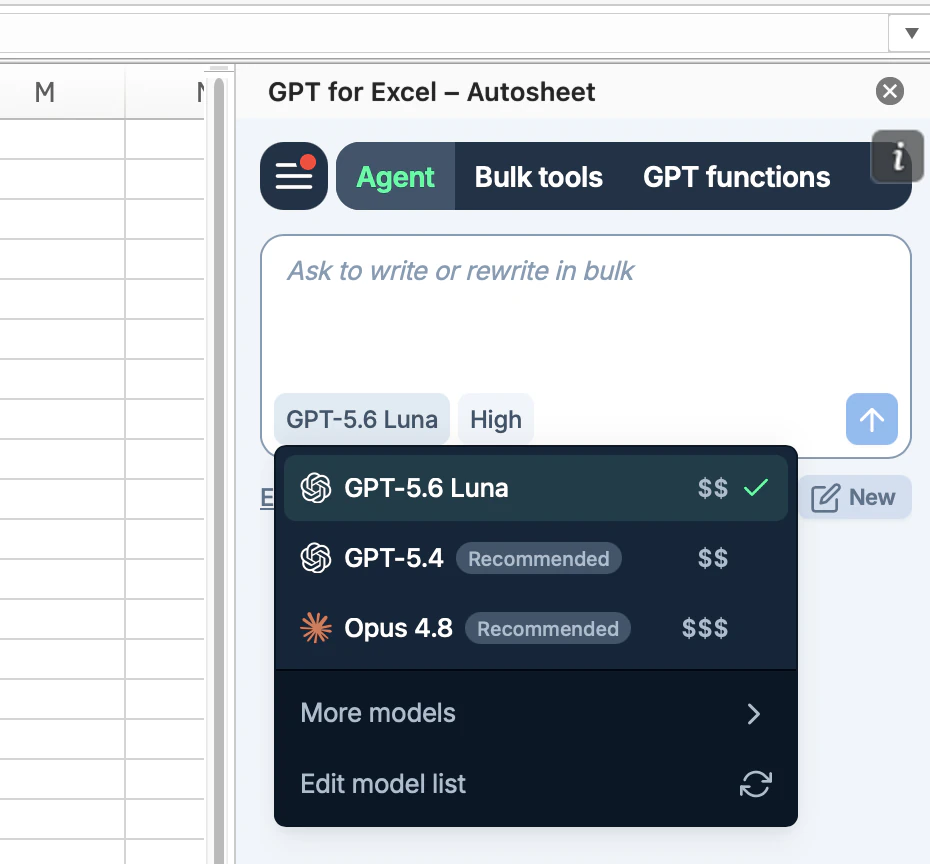
The agent runs on the latest GPT-5 series models. The bulk tools and GPT functions have their own model switcher and accept a wider ChatGPT line-up, including the smaller fast models and a dedicated web search model. For the current list, see AI providers and models.
Then describe what you want and the agent does it in your workbook.
Frequently asked questions
Do I need an OpenAI API key?
No. ChatGPT is available through the Autosheet add-in without your own API key, and usage runs on your Autosheet credits or subscription. Connecting your own OpenAI API key is optional and unlocks additional models, in the agent as well as the bulk tools.
Which ChatGPT models can I use?
The agent runs on the latest GPT-5 series models. The bulk tools and GPT functions accept a wider line-up, including smaller fast models and a dedicated web search model. The live list is on AI providers and models, and what you can select also depends on what is enabled for your space.
How much does it cost?
Autosheet is free to install with free credits to start, and no card is required. After that it is a monthly subscription (from $25 per month, with included usage; extra-usage credits available). Each task uses credits based on its complexity and the model you choose. See pricing.
What can I do with ChatGPT in Microsoft Excel?
Ask the agent to write and fix formulas, build charts and pivot tables, format and clean data, generate tables, and analyze or summarize your worksheet. You can also run bulk row-by-row tasks like translation, categorization, content generation, and web search.
Why use this instead of the official ChatGPT add-in?
OpenAI's own add-in is a side-panel assistant for the workbook in front of you, and it only ever runs OpenAI models. Autosheet is built for the job a chat panel cannot do. It runs one prompt down a whole column at up to 1,000 rows per minute and up to 1 million rows in a single run, writing each result straight into your worksheet, and it exposes AI as a spreadsheet function with =GPT(). You also get ChatGPT and Claude in the same add-on across both Excel and Google Sheets, so you can pick the model per task without switching tools or paying for a second AI subscription. In our March 2026 Excel agents benchmark, Autosheet was fastest in 10 of 11 tasks and the only one to complete the 10,000-row run.