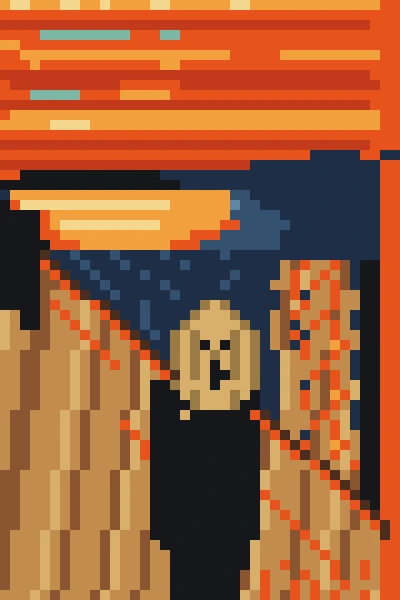
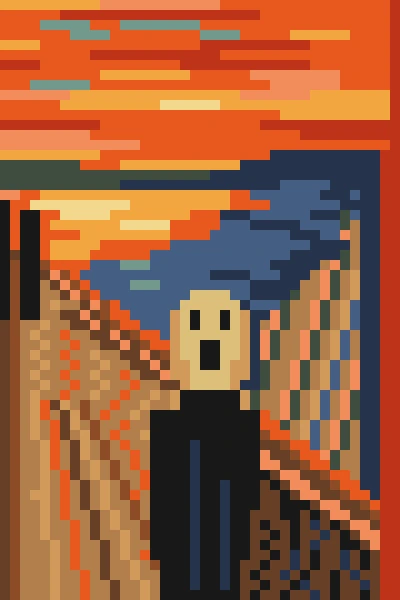
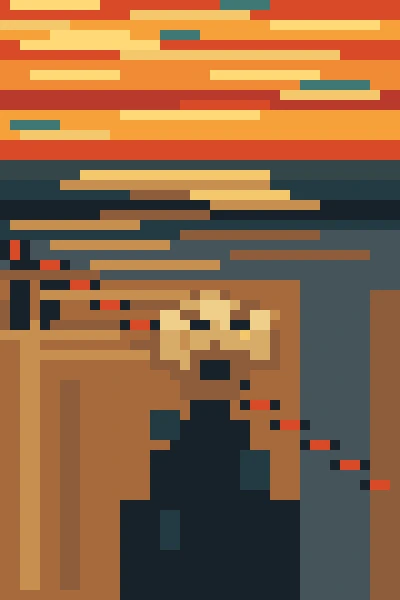
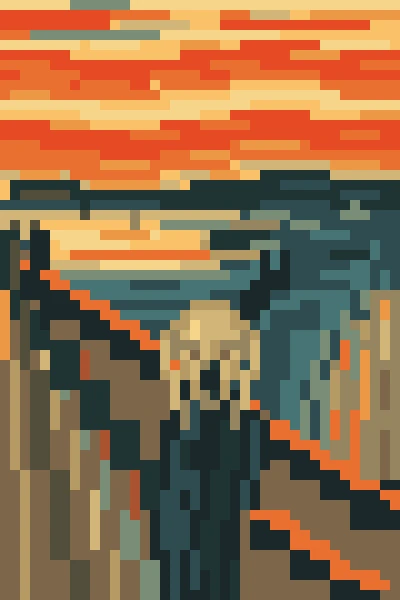
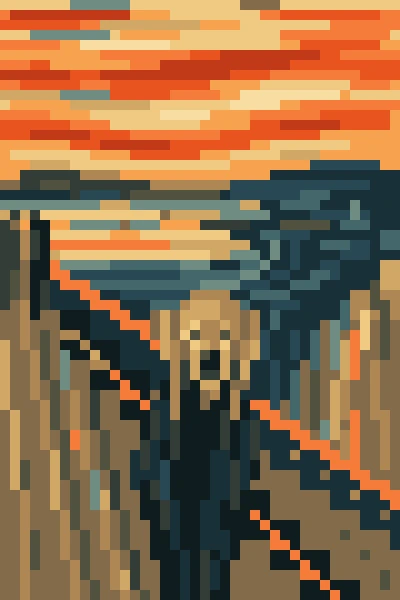
We asked six AI models to paint Edvard Munch's The Scream in Google Sheets, one cell at a time: Anthropic's Haiku 5.5, Sonnet 5.5 and Opus 5.5, and OpenAI's GPT-6 Luna, GPT-6.1 Sol and GPT-6 Astra. Each model had to choose the color of 2,400 cells to turn a spreadsheet into art.
Then we gave them more to work with. First they painted from memory. Then they could take screenshots of their canvas and fix what looked wrong, a brand-new ability of the Autosheet agent. Finally, they could also look at the original painting.
Before you see who painted what, pick your favorites.
Vote first: which AI painted it best?
Pick the painting that looks more like The Scream. After each vote you'll see which model made each one, and with what help.
Which one looks more like The Scream?


What we learned
- OpenAI's GPT-6 models paint best. GPT-6.1 Sol and GPT-6 Astra already get the famous pose from memory. Give them screenshots to check their work and their paintings get remarkably accurate.
- Anthropic's Claude 5.5 models never quite get there. Even with the original to compare against, Opus 5.5 and Sonnet 5.5 don't nail it. Some of us even prefer the paintings they made from memory.
- Model tier matters a lot. Haiku 5.5 and GPT-6 Luna lag far behind the others, whatever help they get.
- Speed varies too. GPT-6 Luna and GPT-6.1 Sol finish in three to four minutes every time. Opus 5.5 takes between 6 and 17 minutes.
Watch them paint
All 18 runs side by side, 40 times faster than real time. The clock under each painting shows how long it took. For the first three minutes, every Claude 5.5 canvas stays blank while the GPT-6 models are already painting. Those canvases aren't stuck: the models are still thinking through the picture before they fill a single cell. GPT-6 Luna finishes its first painting before Sonnet 5.5 and Opus 5.5 start theirs.
The challenge
Each model took the challenge three times with the Autosheet agent in Google Sheets, at High reasoning effort, the setting where a model thinks the longest before it acts, and with a little more help each time.
From memory
The model only has what it knows about the painting. It plans the picture in its head and paints it without seeing the result. Every model knows the scene: the red sky, the dark fjord and the screaming figure.
With visual feedback
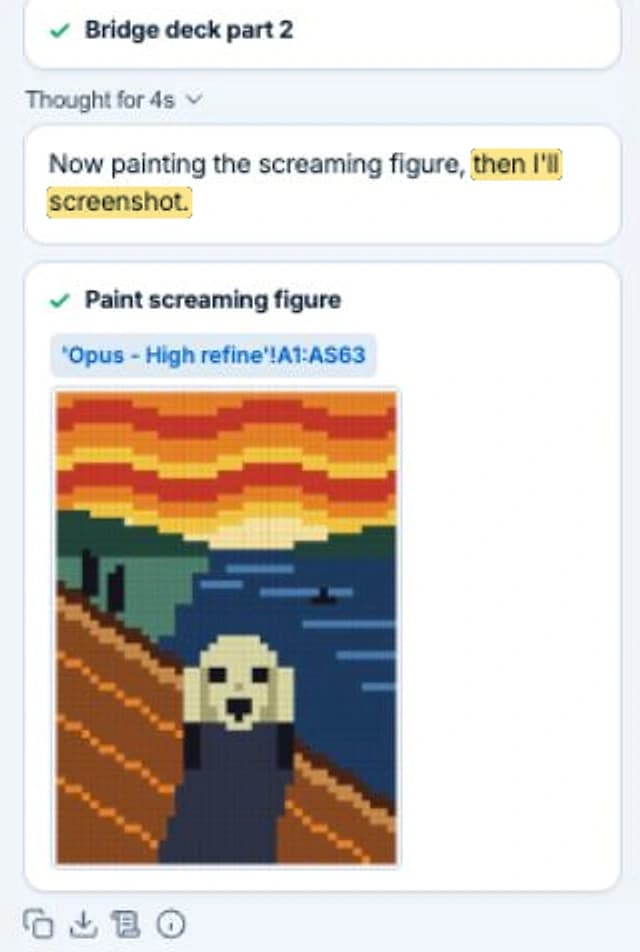
The model can take screenshots of its canvas. We asked it to look at its work, fix what's off and repeat until it's happy. Here is Opus 5.5 doing that in the Autosheet agent, ten minutes into its run:
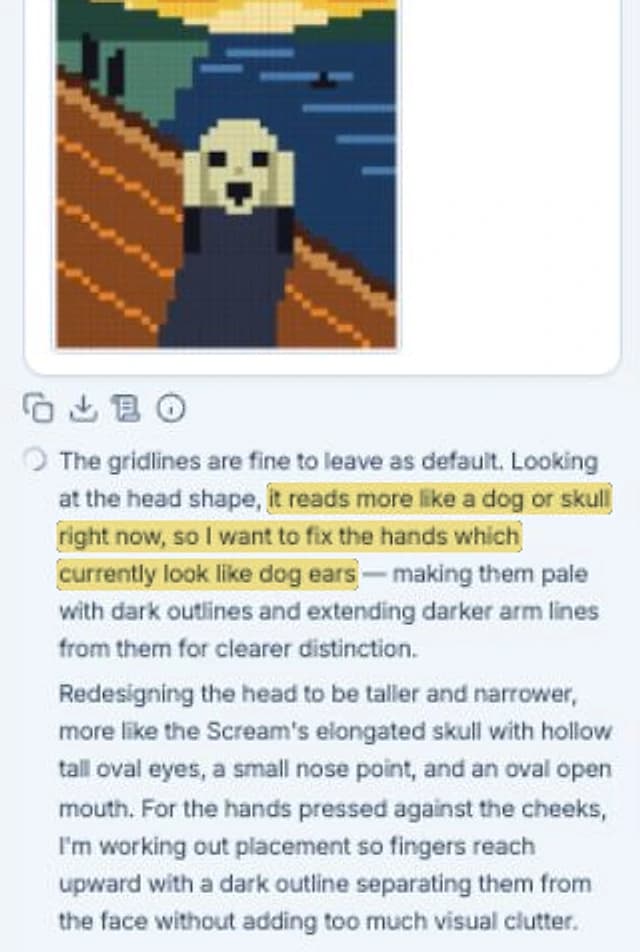
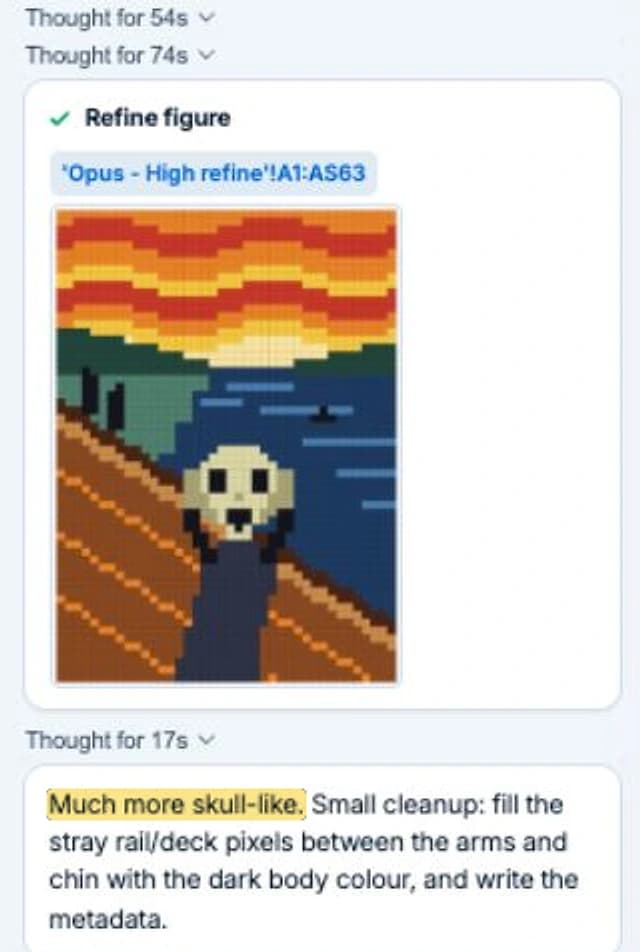
Three minutes after its first attempt, the painting was done. GPT-6 Luna noticed its background figures had landed too high and moved them.
With the original
Same as above, plus Munch's painting in another tab to compare against. With the real painting in view, the compositions move closer to Munch's: the railing cuts across the canvas and the figure steps down into the foreground. The first pass already lands the composition, so the screenshots only trigger touch-ups, a longer railing here, a pair of hands there. It also takes longer. Opus 5.5 spent 17 minutes on this one.
All 18 paintings
From memory




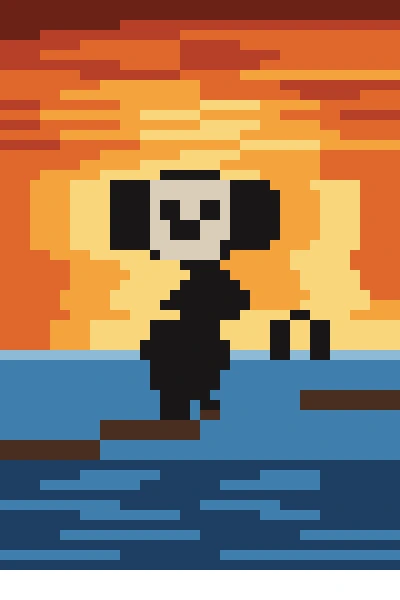
With visual feedback





With the original
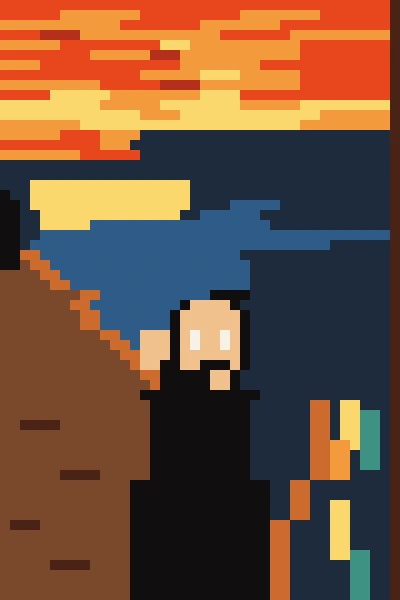
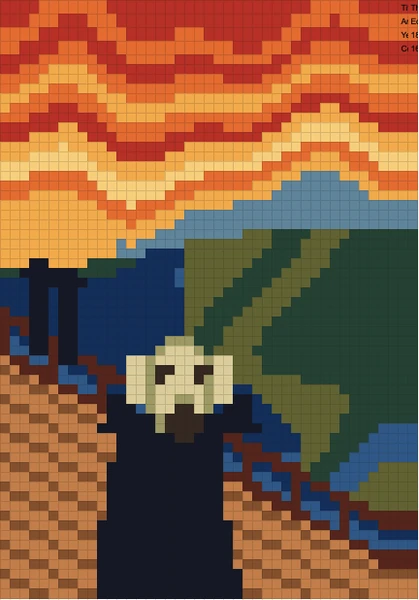
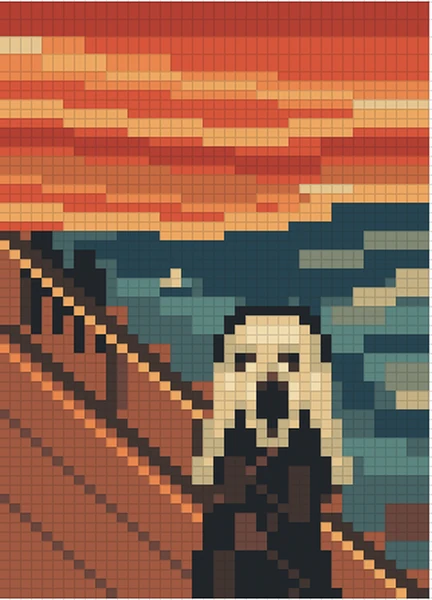
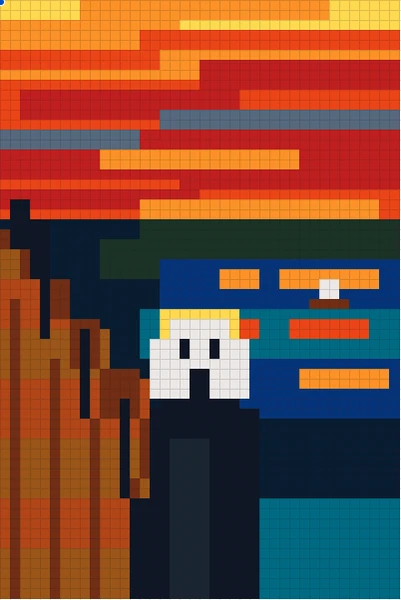
What about Claude, ChatGPT and Gemini in Sheets?
We also ran the same prompts in Claude in Sheets with Opus 5.5, ChatGPT in Sheets with GPT-6 Astra, both at High reasoning, and in Gemini in Sheets. None of them can see the sheet they paint, so the screenshot and original prompts barely changed their paintings. Claude was quick, at about 5 minutes. Gemini took 13 minutes, and ChatGPT more than 30.
Try it yourself
Install Autosheet for Google Sheets, open the agent in an empty tab and paste the prompt below. Then ask it to check its work with a screenshot and see how far it gets.
Your goal is to make pixel art in this sheet, using cell filling.
You have to paint "The Scream" by Munch.

Rules
1	Canvas exactly 40 x 60 cells in C3:AP62, nothing outside
2	Square pixels: columns and rows 12px
3	Cell fills only: no text, borders, shapes or empty cells
4	16 or fewer distinct colours
5	Recognisable as "The Scream" by Edvard Munch
6	Metadata written correctly in AR3:AS6
7	A1:B2 left empty; no other sheet or area changed
Every run started from this prompt. For the second and third rounds, we added a line about the extra help. For more practical tests of the same agent, see which AI model is best for spreadsheet work.
FAQ
What did the AI models have to do?
Each model had to paint Munch's The Scream in a 40 by 60 grid of Google Sheets cells, with at most 16 colors and no image generator. Each of the six models did it three times: from memory, with screenshots of their work, and with the original to compare against. Readers judge the result by eye.
Which AI model painted The Scream best?
OpenAI's GPT-6.1 Sol and GPT-6 Astra got closest. Both get the famous pose from memory and become remarkably accurate once they can check their work with screenshots. Anthropic's Claude 5.5 models never quite get there, even with the original to compare against.
Which AI models painted The Scream?
Six models, all through the Autosheet agent in Google Sheets at High reasoning effort: Haiku 5.5, Sonnet 5.5 and Opus 5.5 from Anthropic, and GPT-6 Luna, GPT-6.1 Sol and GPT-6 Astra from OpenAI.
How does an AI paint in a spreadsheet?
By filling cells. The agent can set the background color of a cell, so the model picks one of at most 16 colors for each of the 2,400 cells in a 40 by 60 grid. With visual feedback on, it can also take a screenshot of the sheet and fix what looks wrong.
Where did the idea come from?
From Bernhard Martin Siegert, Director & Expert at BCG, who ran a similar test with the Mona Lisa. We borrowed his idea and swapped in Munch.